For years, webinar software has followed a predictable model.
Typically, a marketer or event manager opens a webinar platform, creates a session, selects a date and time, configures registration, manages participants, conducts the event and eventually reviews attendance and engagement data.
In this model, the software provides the capabilities.
Meanwhile, the human operates the software.
However, that model is now beginning to change.
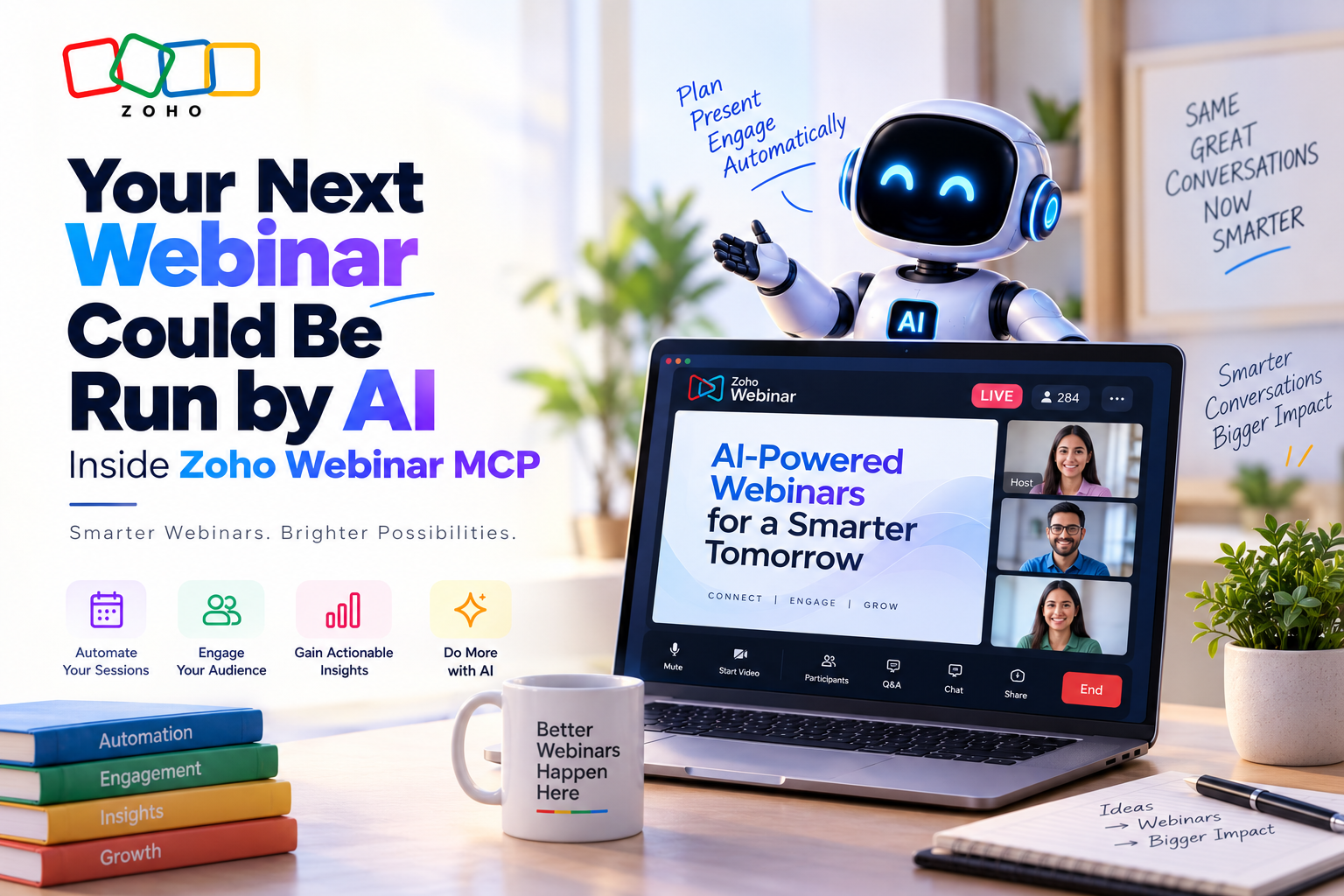
With the introduction of Zoho Webinar MCP, Zoho has added a new interaction layer between AI and its webinar platform.
As a result, MCP-compatible AI clients can interact with Zoho Webinar to perform supported actions such as managing sessions, working with registrants and retrieving webinar information.
At first glance, this may look like another AI feature. However, the more important story is what this represents for SaaS itself.
In other words, Zoho Webinar is becoming a system that AI can operate—not simply software that humans operate.
Ultimately, that distinction could become one of the most important shifts in business software over the next few years.
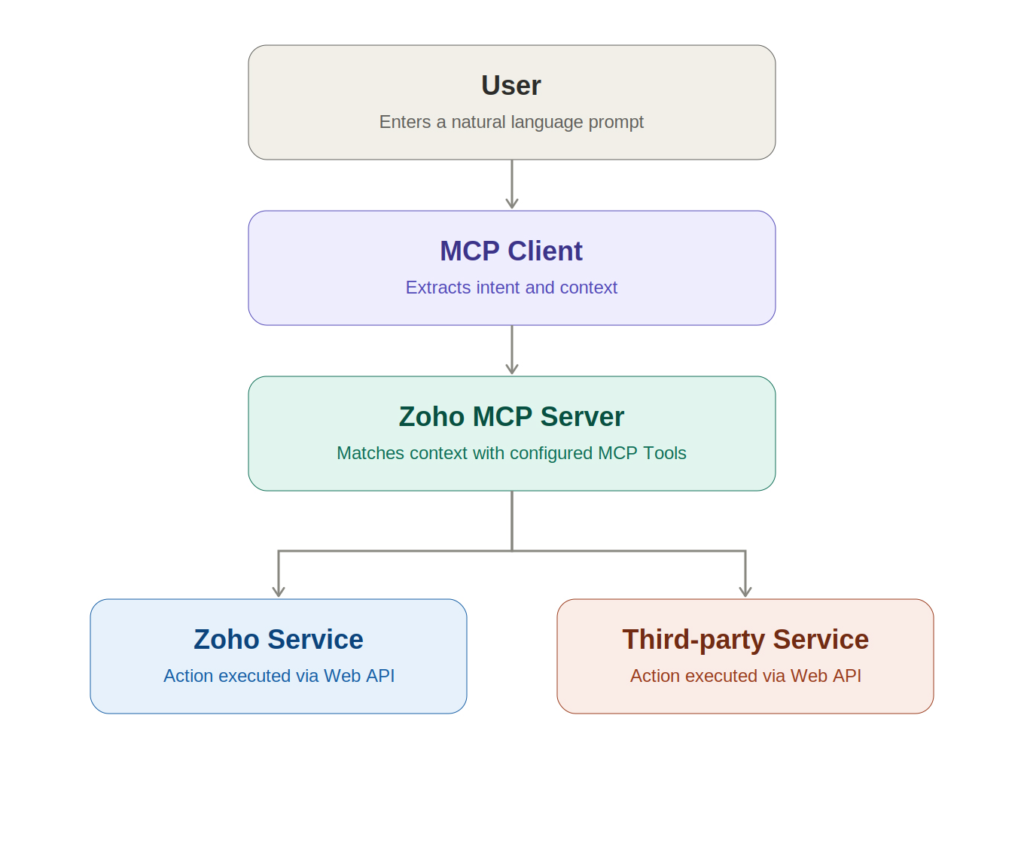
MCP stands for Model Context Protocol.
Essentially, it is a standardized way for AI applications to discover and interact with external tools and systems.
In a traditional application integration, a developer typically has to build a specific connection between two systems.
With MCP, however, an AI client can connect to an MCP server that exposes defined tools and capabilities.
For Zoho Webinar, the basic architecture can be understood as:
AI Client → MCP → Zoho Webinar → Business Action
For example, instead of manually navigating through the application, a user could give an AI client an instruction such as:
“Create a customer training webinar for next Thursday at 2 PM.”
After receiving the instruction, AI can interpret the request and use the appropriate Zoho Webinar capability.
Therefore, the important distinction is clear:
Rather than simply answering questions about software, AI is moving toward performing actions through software.
The evolution of business AI has happened in several stages.
First, the user asks AI to create something.
“Write an invitation for our upcoming webinar.”
In response, AI generates the content.
Next, AI can access relevant business information.
“Summarize the performance of our last webinar.”
Using the available context, the system analyzes the data.
Finally, AI can interact with external systems.
“Create the next webinar and add these customers as registrants.”
At this stage, the request can potentially be executed through the business application.
As a result, this creates a new model:
Understand → Select Tool → Execute → Return Result
Clearly, this is fundamentally different from using AI as a writing assistant.
Instead, the AI becomes an operator.
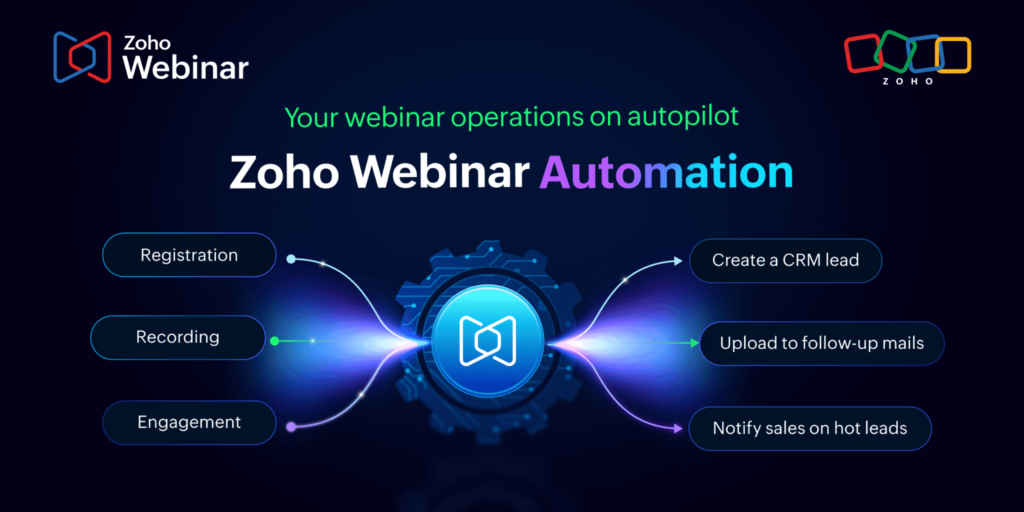
Zoho’s MCP implementation provides AI clients with access to supported Zoho Webinar capabilities, including session management, registrant management and attendance-related information.
For example, AI can interact with webinar sessions for operations such as:
Instead of navigating through multiple screens, users can describe the required action conversationally.
For instance:
“Schedule a 60-minute product demonstration for next Tuesday at 11 AM.”
Afterward, the AI client can translate that instruction into the relevant tool operation.
Webinar administration also involves considerable repetitive work.
Therefore, Zoho Webinar MCP supports operations involving registrants, such as:
As a result, this opens up a more natural interaction model.
For example:
“Show me everyone registered for tomorrow’s enterprise webinar.”
Alternatively:
“Add these customers to the upcoming product briefing.”
In these situations, users don’t necessarily need to understand the application’s navigation structure.
Instead, they can simply describe the desired outcome.
The post-webinar process is equally important.
For instance, businesses often need to understand:
With MCP access to webinar information, these questions can increasingly be handled through an AI interface.
For example:
“Give me the attendance details from our last product webinar.”
Alternatively:
“Which attendees stayed for less than 30 minutes?”
Therefore, the important shift is that webinar data becomes accessible through a conversational interface.
This is an important distinction for developers and technology teams.
Although MCP changes how AI interacts with applications, it does not make APIs obsolete.
Instead, APIs remain the underlying mechanism through which applications expose structured functionality.
What changes, therefore, is the interaction layer.
Developer → API → Application
In this model, the developer determines which endpoints to call and how the workflow should operate.
AI Client → MCP → Application
Here, the AI client can discover and invoke supported tools through the MCP interface.
Therefore, MCP can sit above existing application capabilities and make them accessible to AI systems in a standardized way.
For businesses, this creates a new possibility:
Existing software can become AI-operable without rebuilding the entire application around AI.
This is where Zoho Webinar MCP becomes much more interesting.
For decades, SaaS applications have been designed around human interfaces such as:
Consequently, users had to learn the application’s interface.
AI, however, introduces another interface:
Natural language.
Instead of:
Open Webinar → Create Session → Select Date → Select Time → Add Registrants → Save
the interaction could become:
“Create a customer training webinar for Thursday at 3 PM and add the customers from this list.”
Although the application still performs the work, the interface has changed.
Therefore, users no longer need to operate every screen manually.
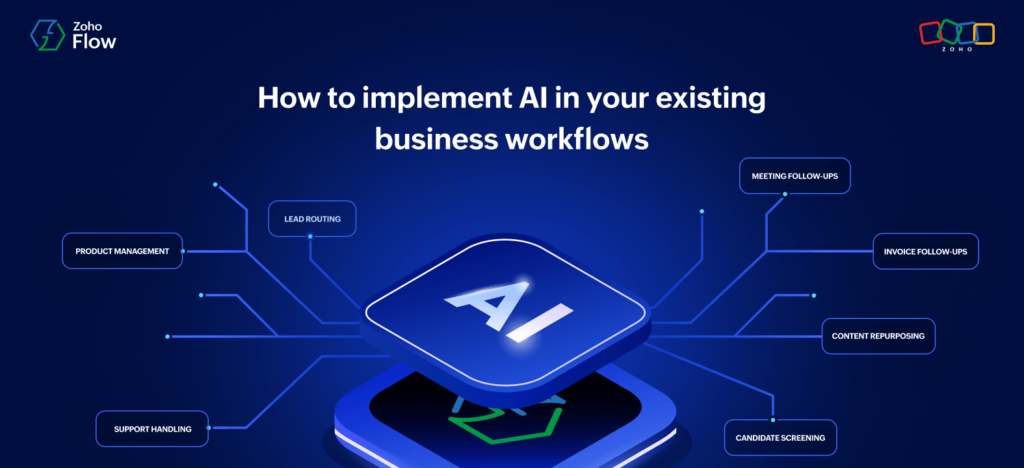
Instead, the more important question is:
What happens when AI can use multiple Zoho applications together?
After all, a webinar rarely exists in isolation.
For example, a typical business process might look like this:
Identify target customers
↓
Promote the event
↓
Conduct the webinar
↓
Analyze participation
↓
Update customer engagement
↓
Create follow-up opportunities
↓
Trigger customer education or support activities
With AI able to interact with different business applications, these individual steps could increasingly become part of one intelligent workflow.
Consequently, the webinar becomes a component of a larger business process rather than an isolated event.
Suppose a software company notices a sudden increase in support tickets related to a new product feature.
In that situation, a future AI-driven workflow could look like this:
First, AI identifies a recurring customer question.
↓
Next, affected customers are identified.
↓
After that, AI creates a product training webinar.
↓
Relevant customers are then added or invited.
↓
Subsequently, the training session takes place.
↓
Afterward, attendance and engagement are analyzed.
↓
Based on those results, customer engagement information is updated.
↓
Finally, follow-up actions are triggered.
Notice what happened.
Rather than simply generating an email, the AI coordinated a series of business activities.
In other words, it coordinated business applications.
That is the much bigger potential of MCP.
The real value of MCP is not simply saving someone a few clicks.
Instead, it is about changing how businesses interact with software.
Today, organizations often have dozens of SaaS applications.
As a result, employees spend significant time:
Fortunately, AI-enabled application interfaces could reduce some of this manual interaction.
Instead of employees operating every system independently, AI could increasingly become the layer coordinating those systems.
Consequently, this could create a new model:
Human → AI → Business Systems
rather than:
Human → Application 1 → Application 2 → Application 3 → Application 4
The ability to let AI perform actions introduces an important question.
What should AI be allowed to do?
If an AI assistant can create sessions, manage registrants or access business information, organizations need to think carefully about:
Zoho’s MCP connection uses authorization to establish access between the AI client and the Zoho MCP server.
Importantly, enterprise AI cannot simply be about capability.
Instead, it also needs governance.
Therefore, the question changes from:
“What can AI do?”
to:
“What can this particular AI user do, with which data, and under whose authority?”
This is where MCP fits into the broader AI architecture.
For example, a useful way to think about an AI-enabled business system is:
Business Data
↓
Business Context
↓
AI Model
↓
MCP / Tools
↓
Business Applications
↓
Actions
Within this architecture, the model provides intelligence, while business data provides the necessary context.
Meanwhile, MCP offers a standardized way to access tools. Finally, the applications execute the required actions.
Therefore, MCP should not be viewed simply as another integration technology.
Instead, it can become part of the interaction architecture between AI and enterprise software.
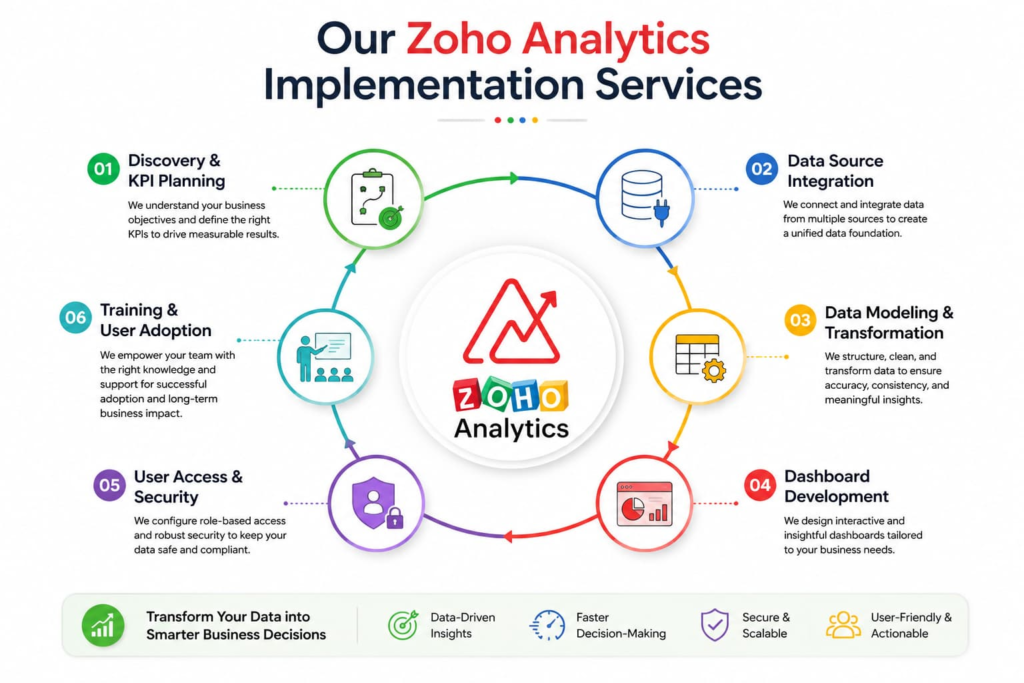
This development also changes the role of Zoho implementation teams.
Traditionally, implementation projects typically focus on:
Those areas remain important.
However, AI-enabled systems introduce another architectural layer.
Therefore, implementation teams will increasingly need to ask:
Which business processes should AI be able to execute?
What data should the system access?
When should an action require human approval?
Which operations should remain deterministic workflows?
Finally, how should AI interact with CRM, Books, Desk, Analytics and other systems?
As a result, clean data architecture and permission design become even more important.
This is one of the less-discussed consequences of AI-enabled business systems.
For example, suppose a CRM contains:
A human employee may understand the inconsistencies and work around them.
However, an AI system may not.
If AI is going to make decisions or execute actions based on business data, the quality of the underlying architecture becomes critical.
Therefore:
AI readiness is not only an AI problem.
Instead, it is also a data architecture problem.
Consequently, this is likely to become a major consideration for companies implementing AI across their Zoho ecosystem.
The most interesting thing about Zoho Webinar MCP isn’t actually webinars.
Instead, it is the direction the technology represents.
If a webinar platform can expose its capabilities to AI, the same concept can be applied across other business applications.
For example, imagine AI being able to:
At that point, AI isn’t simply another application.
Instead, it becomes an interaction layer across applications.
Ultimately, that could fundamentally change how employees use business software.
The traditional SaaS model looks like this:
Application → Human → Action
However, the emerging AI-native model looks more like:
Business Goal → AI → Tools → Applications → Action
In this model, humans may increasingly provide the goal rather than manually execute every step.
Of course, that doesn’t mean people disappear from the process.
Instead, their role can move toward:
Meanwhile, AI can handle more of the repetitive operational interaction.
Zoho Webinar MCP may initially look like a specialized capability for webinar management.
However, technologically, it represents something much bigger.
For example, it demonstrates how a traditional SaaS application can become AI-accessible and AI-operable through a standardized protocol.
As a result, the progression is becoming clear:
Software gives humans tools.
↓
Next, AI helps humans use those tools.
↓
With more context, AI can understand business needs.
↓
From there, it can interact with business applications.
↓
Ultimately, AI can coordinate actions across applications.
That is why MCP deserves attention.
The future of SaaS may not simply be about adding an AI assistant to every application.
Instead, it may be about making the applications themselves usable by AI.
Therefore, Zoho Webinar is one example of that transition.
The most important takeaway from Zoho Webinar MCP is not that you can create or manage a webinar using an AI client.
Instead, the bigger takeaway is that the traditional application interface is no longer the only interface that matters.
For years, businesses built processes around humans learning software.
However, the next phase may involve software understanding business goals and AI operating the underlying systems.
As a result, this changes the role of the application, the user and the implementation partner.
For instance, the application can become a collection of capabilities, while AI acts as an intelligent interface to those capabilities.
Meanwhile, the implementation architecture becomes the foundation that determines whether the entire system works reliably.
Therefore, Zoho Webinar MCP is not simply another webinar feature.
Instead, it provides a glimpse into what AI-operated SaaS could look like.
Ultimately, the next question isn’t whether AI can talk to your business applications.
It’s what you will allow it to do once it can.